When: Wednesday, May 17th, 2017. 8am until 2pm.
Where: Barriques, S. Park St, Madison
I will not have a second location for this date, hence the reason I will be here past the noon hour.
Hope to you see you there!
When: Wednesday, May 17th, 2017. 8am until 2pm.
Where: Barriques, S. Park St, Madison
I will not have a second location for this date, hence the reason I will be here past the noon hour.
Hope to you see you there!
Open Door Recruiter is back…open!
This Thursday, May the 4th. I’ll start at Starbucks Monona 8am – 11:30 then head to Barriques in Middleton from 12:15 to 4:30. What’s this all about?
Check out the FAQ!
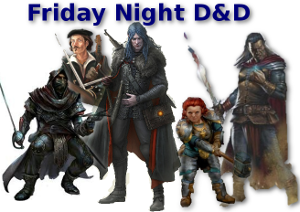 The party makes their way to Phandalin. An outpost south of the Triboar Trail. There they meet interesting people and hear a few rumors. Oh, and there’s talk of ruffians that go by the name of The Redbrands.
Episode 002 recaps the details that occurred in the session where the pc’s enter the cave in search of Gundren Rockseeker and ultimate discovery of Sidlar Hallwinter. The demise of Klarg the bugbear takes place and now the party needs to choose their next action.
Session 1 recap
You are hired by Gundren Rockseeker to take a shipment of supplies from Neverwinter to Barthen’s Provisions located in Phandalin, an outpost that attracts quite a few miners.
Here’s the recap.
Being a Recruiter has it’s ups and downs. You get the high of making an offer and getting back an acceptance. The lows are when that acceptance does not happen. You make a lot of different connections. One of them I made was my buddy, Brett. He was a contractor at the time and my employer was looking to bring him on as a full-time employee. Later on we realized we were both gamers. Since then we’d do lunch every couple weeks, or Brett would stop by my desk, and we’d talk about roleplaying games.
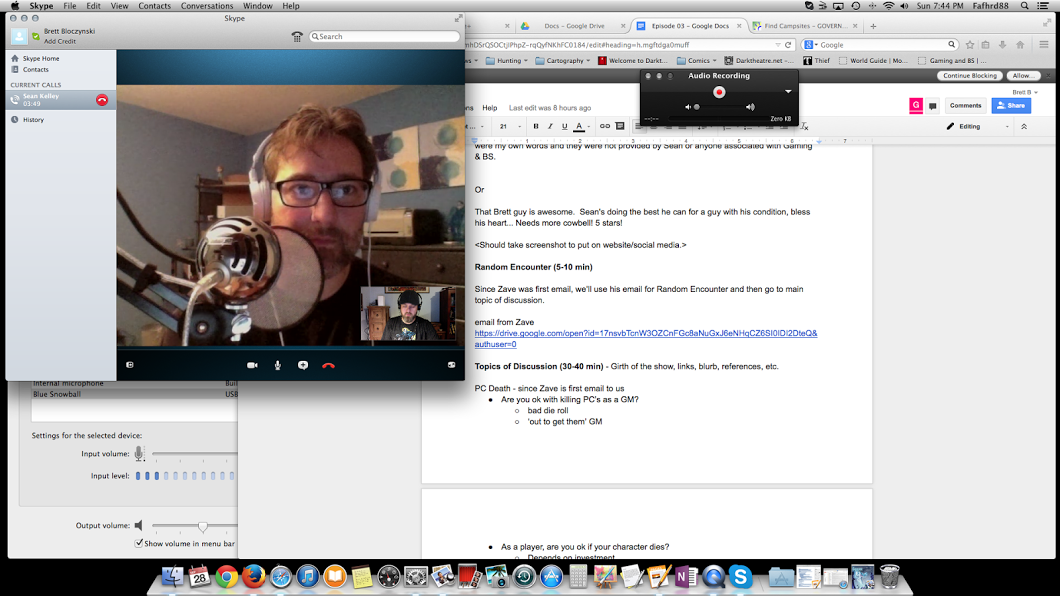
I have always been an avid listener of podcasts, mostly ones that relate to roleplaying games. Then it dawned on me, Brett and I talk a lot about them, why don’t we do one? At the time of this entry we have completed 15 episodes of Gaming and BS. Careful, we have an ‘explicit’ rating on the show. We tend to be passionate about our hobby and it comes through like a couple long-shore men. I love doing the show. I can’t believe we have listeners and subscribers, and that we have been at it consistently for 15 weeks!
Somewhere I came across Cliff Ravenscraft. He’s known as the Podcast Answer Man. It might have been one of his tutorials. Regardless, I have been devouring his episodes and has been quite an inspiration. It’s not just his show, it’s his genuine nature and his transparency. His show started out to help people do podcasting but it’s morphed into a mix of different topics. There is still podcasting, but there is also social media, personal/professional development, advice, and much more. It’s not hard technical, which is a turn off for some, but I don’t mind. It’s really a show to help people take their game to another level. Some day I’ll meet Cliff and personally thank him.

All of the above has lead me to launch TalentJockey.com. It is starting out as a podcast that helps job seekers, recruiters and hiring managers navigate the world that is talent acquisition. Eventually I will do workshops, public speaking, and advising. It is truly exciting. It will involve hard work and diligence, no question. Rome wasn’t built in a day. Even in roleplaying games we say that the journey is the fun part of it all.
If you’re interested in podcasting or obtaining advice on new media, then Cliff’s your guy and you should check out PodcastAnswerMan.com. If you like roleplaying games, and the occasional f bomb doesn’t offend you, then check out Gaming and BS. G&BS is what I do for fun. Talent Jockey is truly a new venture, and a professional one at that. I try to keep it light. Anyone that knows me, knows my demeanor. Check out the website for episodes and resources for my three audiences – job seekers, recruiters and hiring managers.
I was raised by my mother and I had a younger sister. My mom did a good job at hiding the fact that we didn’t have all the money in the world, and I look back now and thought that my sister and I had it pretty damn good.
I was a bit of an audiophile when I was young. I wanted one of those massive stereo systems. You know, the ones that had multiple components, flashing lights and gauges with bouncing needles. What can I say? I liked the look of analog over digital, at the time. I started my amassing my collection of music growing my selection of cassette tapes. I eventually got a Symphonic fm/am/turntable/cassette all-in-one stereo system. At the time, I thought it made my music plenty loud. It wasn’t everything I wanted, but I thought it was great, so the desired bells and whistles didn’t matter much after the fact.
If you were a child of the 80’s then you know the role boom boxes played. Man, I had friends who had some monster boxes. The bigger the box, the more awe you got. Even if guys you didn’t like had one, you’d still say “I can’t stand that guy, but damn, does have a huge boom box.” My boom box. HA! It was a Sanyo half of a boom box. No EQ. It had treble, bass and volume knobs. It wasn’t even lit. The eject for cassettes wasn’t even slow or simulate a hydraulic opening. Mine was more like a bullet from a gun. Press firmly down on ‘eject’ and the damn drawer opened with a crack. Oh, did I mention why it was half a boom box? It was because it only had one speaker. That’s right one speaker. The two benefits it had, it played music just fine and it was light-weight. I would walk a couple miles with that thing and my arm never got tired.
I remember having a DJ setup in my small bedroom. I had headphones on, plugged into my stereo and then I’d have my half boom box sitting on top. During the Memorial Day weekend a local radio station would play the top 100 hits of the year. I would play them from my Symphonic stereo as loud as I could get away with and record it to my half boom box while adding my own DJ style commentary before the song started playing. I’d go through a few MX90 Maxell blank tapes, stacking them up as they got full.
So why do I mention all this? Continue reading New Projects – Future Endeavors
The following is an article I published on LinkedIn on 7/28/2014.
Currently I accept a lot of invite requests on LinkedIn, but I’m beginning to wonder if that is the best way for me to network. My thoughts follow…
There was a time that I did not connect with someone on LinkedIn unless I had met them face-to-face. Some of you approach this platform in exactly this way, and that’s ok. When I became a corporate recruiter I chose to open the flood gates. The more the merrier was my thinking. One could understand, “ah, you’re a recruiter. I can see how you would want to network with a lot of people.” I came to this philosophy when I had attended a social media recruiting conference in San Francisco.
I met two gentlemen that are avid users of social media, do consulting and recruiting. One gentleman was Jason Seiden and the other was Craig Fisher. Both spoke at the small conference and they both worked with each other at Ajax Workforce Marketing. When discussing connections on LinkedIn Jason was more about having connections that were smaller in quantity and closer in relationship – someone that was more apt to help you. Think quality over quantity, my words, not his. Craig sided on ‘the more, the better’ side of the argument. I’ll define a quality connection as ‘one that would be more likely to help you’. Whether it be providing you with feedback on someone, routing a resume, recommend a vendor/restaurant, or providing you advice, it is timely interaction that I consider as being ‘quality’.
Fast forward two years. I am no longer in the people business, but I do network and use online social media quite a bit. It was a situation I had a few months ago that got me thinking, ‘what are people trying to get out of LinkedIn?’.
A contact of mine on Google+ let me know that his brother was in the job market and looking for opportunities. The brother had held a director title in information technology. I told my contact to get me a link to his profile on LinkedIn and I’d see what I could do. Once I connected with the director we traded some ‘inmails’. I asked for his resume, which he provided, and I then realized he was in the Atlanta, GA region. I ran a search through all my contacts on LinkedIn that were in the greater Atlanta area. I think I came up with about fifteen at the time. All were 1st level connections. I had personal ties with a few – I either grew up with them, worked for them, or spoke to them at some point in time. A few others work for the same organization as me, but our paths never crossed and simply working at the same place was our only reason for being connected. I wrote up a short message that I would send to all fifteen of these connections. The message essentially explained that I did not know the director and couldn’t speak about his work, personality, professional goals, etc, and that I was simply networking. I was trying to help someone out. I received a handful of responses ranging from “I’ll send his info over to our CIO” to “sorry, I wouldn’t know how to handle his info since he’s IT”. I would be happy with any response. A simple, “I have nothing. Good luck,” would have been fine. While I felt great about the people that responded, I also felt a sense of disappointment. I was disappointed because I had contacts I thought would certainly reply, but did not. I would understand if we have never interacted, but there were contacts in which I had good rapport and was in good standing.
Ask yourself, why are you on LinkedIn? Is it because it’s your version of a corporate equivalent to Facebook? Is it because you think you simply need to be on LinkedIn? Of course these questions are not asked of the job seeker. I’m asking the connections that are currently employed. I get requests every day. I have a good amount of connections, but I don’t know how many are interested in engaging or how many would use it for networking. It may be time to rethink how I use LinkedIn. It might be time to clean up my list of contacts.
I don’t know if the director ever found a job. With connections like his brother and people that leverage their networks, I’m sure he’ll find something.
I saw post on Google+ that asked motorcycle riders to share a story, my motorcycle story. It was for bringing awareness to motorcycle riding. Here is my motorcycle story… Continue reading My Motorcycle Story
Jon Stewart, yes, the one from Comedy Central’s The Daily Show had Erik Prince as a guest. Mr. Prince was promoting his new book, Civilian Warriors. I was a bit surprised. Stewart is known to come from the liberal end of the spectrum, he simply interviewed Erik Prince about his book and some details of his career as the founder, CEO, President of the controversial organization known as Blackwater. I thought he’d be more probing and cynical of Mr. Prince due to the stories conveyed in the media about his past organization, but he wasn’t. Mr. Prince presented him well, no question leading to him being a successful business person, but you could tell that he felt slighted in his dealings with the US government and that he truly believed what he was doing was noble and that there was another side of the story that the media refused to convey to the public.
In the beginning of the book Mr. Prince talks about his father and how grew his business into a flourishing one. Erik learned some life lessons from his father, and while the younger Prince seemed to come from a family of privilege, it didn’t seem to be a factor in Prince’s life. If I recall correctly, he even tried to separate himself from his family’s social standing as to not take advantage of it. However, Prince does use some of his family’s money to start Blackwater.
The book seemed to convey a human side to Prince as well as the staff that worked for him at Blackwater. Prince talks about his infidelity and loss of his first wife. It certainly doesn’t make you want to like him, but there is sense of honesty around that part of his life, honesty I felt to be more real than what you’d see from a politician like John Edwards. The people in the book seem distant. You don’t really get to know them. I’m talking about the teams that got killed doing missions for uncle sam. The tragic fall of four staff members in Fallujah is hard to imagine. The four were ambused, killed, set on fire, corpses dragged through the streets and then hung from a bridge. Say what you want about Prince or Blackwater, this was horrific. Continue reading Recent Reads – Civilian Warriors by Erik Prince